Tuesday, March 8, 2011

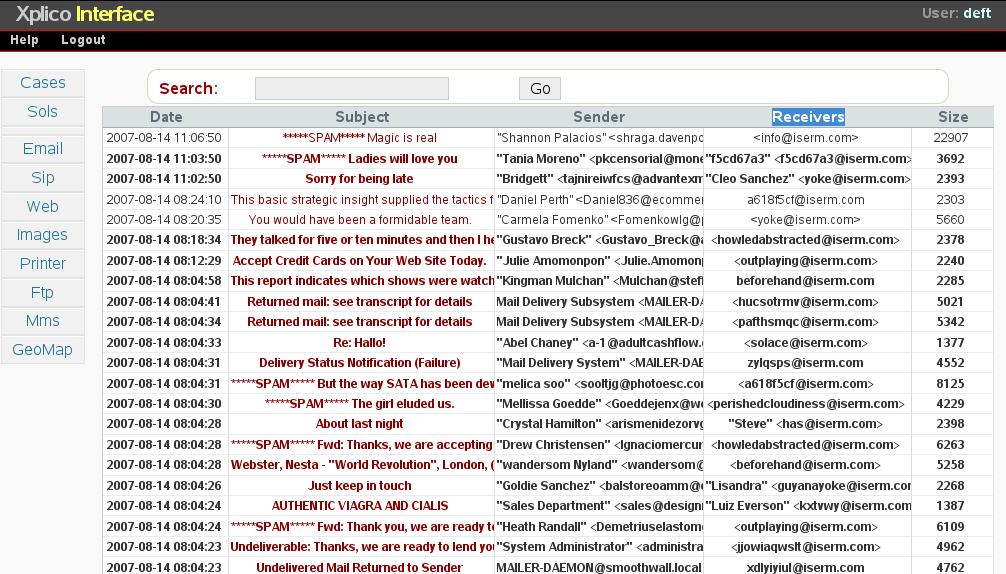
internet data decoder, sniff facebook, ym email etc

packet forensic, peeping user data, internet chat, facebook bla2... using this software by tapping at main gateway.

Xplico

http://www.xplico.org


GUI Ubuntu process manager - kill task

only expert know how to kill running application/process in ubuntu using kill command. There is a gui name: qps

install:

sudo apt-get install qps


run:

sudo qps

Sunday, February 20, 2011

easy way to crack wep (ubuntu)

The following is an easy way to install software crack WiFi WEP key.

go to command line:


install aircrack-ng

sudo apt-get install aircrack-ng


install macchanger

sudo apt-get install macchanger

install python

sudo apt-get install python-tk

download wifite

sudo wget -O wifite.py http://wifite.googlecode.com/svn/trunk/wifite.py


change mode to executeable

sudo chmod +x wifite.py
 
 
run:
 
sudo python wifite.py


Friday, January 21, 2011

need software to put a password for your pdf file?

for use in the operating system (Ubuntu), type: sudo apt-get install pdfchain

Thursday, December 9, 2010

change date and time (ubuntu)

Let’s say you want to set your computer’s new time to December 9, 2010, 14:30:50,

then you would use:

sudo date 120914302010.50

Monday, November 8, 2010

batch file rename in ubuntu

batch file rename in ubuntu:


example got 100 file like this:
backupfile1disember2009.mp4
backupfile2disember2009.mp4
backupfile3disember2009.mp4
need to change to:
01disember2009.mp4
02disember2009.mp4
03disember2009.mp4
solution:
for i in * ; do j=`echo $i | sed 's#backupfile#0#g' - ` ; mv "$i" "$j" ; done
thats all.
source:
for i in * ; do j=`echo $i | sed 's#searchstring#replacestring#g' - ` ; mv "$i" "$j" ; done
from:
http://www.thingy-ma-jig.co.uk/blog/19-04-2008/how-batch-rename-files
Wednesday, October 13, 2010

Windows 7activation error code : 0x80072F8F

The problem occurs because you have not made such calendar year and setting the time and the exact geographical location. change settings and try again.